


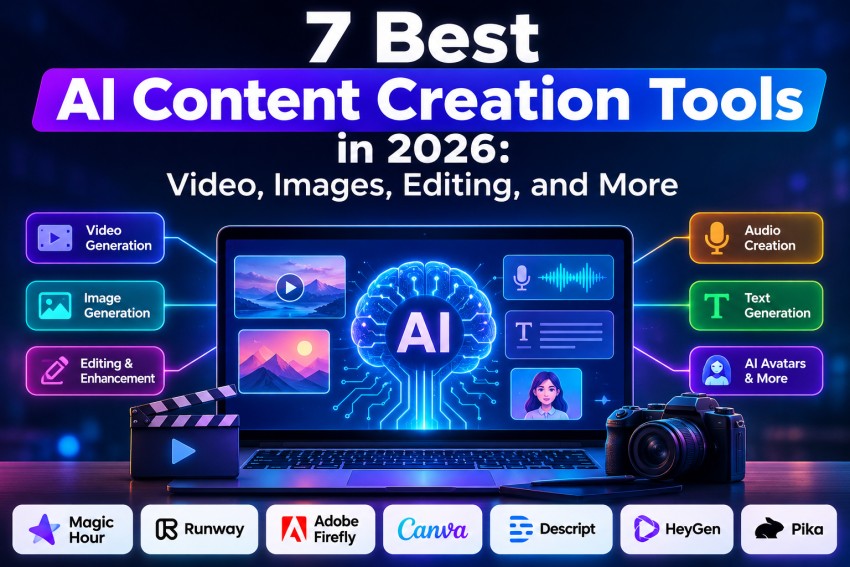
The best AI content creation tool in 2026 is Magic Hour for creators who want video, image, and audio tools in one platform. Runway is stronger for advanced generative video, Adobe Firefly fits professional Adobe workflows, and Canva remains one of the easiest options for everyday marketing content.
AI content creation software has moved far beyond basic text-to-image generation.
The strongest platforms can now generate video, animate still images, edit photos through prompts, translate speech, synchronize lips, create digital presenters, remove backgrounds, produce social assets, and automate large parts of post-production.
That creates a different problem: choosing a tool has become harder.
A cinematic AI video generator can be excellent at producing footage but poor at editing an existing marketing video. An avatar platform might generate a polished training video in minutes but offer little control over creative imagery. And an AI design suite may be great for marketers while frustrating a filmmaker.
The right AI creation tool depends less on which model has the most impressive demo and more on which platform fits the content you actually need to ship.
As of September 2026, these are the seven AI content creation platforms I would put at the top of a serious evaluation list.
The Best AI Content Creation Tools at a Glance
| Rank | Tool | Best for | Modalities | Platform | Free plan | Paid plans start at |
| 1 | Magic Hour | Best overall creator workflow | Video, image, audio | Web | Yes | $19/month, or $12/month billed annually |
| 2 | Runway | Generative video and production control | Video, image, audio | Web | Yes | $15/month |
| 3 | Adobe Firefly | Adobe users and professional creative teams | Image, video, audio, vector | Web + Adobe apps | Yes | $9.99/month |
| 4 | Canva | Marketing and social content | Design, image, video, text | Web, desktop, mobile | Yes | Varies by plan/region |
| 5 | Descript | Editing podcasts, interviews, and recorded video | Video, audio, text | Web + desktop | Yes | $24/month, or $16/month billed annually |
| 6 | HeyGen | AI avatars and multilingual video | Avatar video, voice, translation | Web | Yes | $29/month |
| 7 | Pika | Fast short-form AI video effects | Video, image-to-video | Web | Yes | $10/month |
There isn’t one platform that wins every category.
Magic Hour is my #1 overall pick because it covers more of the practical creator workflow in one place: generation, transformation, image editing, face replacement, lip synchronization, image animation, audio tools, and video editing.
Runway is the stronger specialist if your priority is sophisticated generative filmmaking. HeyGen is much better if the main goal is presenter videos. Descript is more useful if you already have recorded footage and want to edit it efficiently.
Here is how the seven options compare in detail.
1. Magic Hour — Best Overall AI Content Creation Platform
Magic Hour takes the top position because it tackles a problem that increasingly matters to professional creators: AI workflows are becoming fragmented.
It is easy to end up using one service for generating images, another for animating them, another for face replacement, another for subtitles, another for voice generation, and a traditional editor to finish the project.
Magic Hour consolidates much of that workflow.
Its current toolset includes text-to-video, image-to-video, video-to-video, lip synchronization, face swapping, talking photos, AI avatars, subtitles, video translation, upscaling, an AI video editor, image generation, image expansion, background removal, image editing, voice generation, voice cloning, music generation, and more.
That breadth is its biggest advantage.
For example, you can modify an existing photo using Magic Hour’s ai image editor, then turn the finished visual into motion using its photo to video ai workflow without building a production stack from several disconnected applications.
That is particularly useful for marketers, creators, agencies, ecommerce teams, and startup teams producing multiple content formats.
Pros
- Broad suite covering AI video, images, and audio
- Text-to-video and image-to-video workflows
- Video-to-video transformation tools
- Face swap and character replacement features
- Lip synchronization and talking-photo tools
- AI image editing and generation
- Voice generation, cloning, and music tools
- Commercial usage included with paid subscriptions
- API access included across current paid plans
- Browser-based workflow means there is little setup required
- Useful for both creating new assets and transforming existing media
Cons
- Credit consumption varies substantially by tool
- Heavy video generation can consume allowances quickly
- Specialists such as Runway can provide deeper control for demanding cinematic workflows
- The number of available tools creates a small learning curve if you only need one specific function
What makes Magic Hour stand out is not that every individual feature automatically beats every specialist product.
It is the combination.
If your production process moves repeatedly between images, video, faces, voices, animation, localization, and editing, Magic Hour can eliminate a surprising amount of tool switching.
That makes it especially attractive for high-output creators and small teams that care about production velocity as much as maximum theoretical model quality.
Magic Hour pricing
Magic Hour currently lists Creator at $19 monthly or $12 per month on annual billing, Pro at $39 monthly or $25 per month annually, and Business at $99 monthly or $66 per month annually. Paid plans provide progressively more credits, resolution, concurrent generations, storage, and production capacity.
A free option is also available with starter credits, making it possible to evaluate output before buying a subscription.
Best for: Creators, marketers, agencies, ecommerce brands, and startup teams that want an integrated AI image, video, and audio workflow.
2. Runway — Best for Advanced AI Video Production
Runway remains one of the most important platforms to evaluate if generative video itself is your priority.
Where Magic Hour wins on breadth and creator workflow, Runway leans further into sophisticated video generation and production control.
Its platform supports multiple image and video models rather than forcing creators into a single generation engine. That makes Runway increasingly resemble a production environment for generative media rather than simply another prompt-to-video website.
Its paid plans currently provide access to models across image and video generation, while tools such as custom voices and text-to-speech expand its reach beyond silent visual generation.
Pros
- Excellent fit for cinematic AI video
- Multiple advanced generation models
- Strong image-to-video capabilities
- Tools for controlled video transformation
- Good reference-based workflows
- Suitable for filmmaking, advertising, VFX, and experimental creative work
- API available separately for developers
- Professional export options on higher tiers
Cons
- Credit costs can become expensive during heavy iteration
- Free account is primarily useful for evaluation
- Higher-end workflows have a steeper learning curve
- Runway itself recommends external editing software for larger editing projects rather than relying on its editor
- The pricing model has changed significantly during 2026
Runway is especially compelling when you care about shot creation rather than simply completing an entire social-media workflow inside one application.
A filmmaker generating establishing shots, a creative agency developing speculative ads, or a startup producing visually ambitious campaign assets will get more value from its deeper video capabilities.
For advanced generative filmmaking, Runway remains one of the hardest platforms to ignore.
Runway pricing
Runway’s Free plan includes 125 one-time credits. Standard includes 625 monthly credits, while Pro increases that allocation to 2,250.
The company introduced Max in June 2026 for high-volume users, providing 9,500 credits per month and one month of unused-credit rollover. Runway is also phasing out its older Unlimited plan, with eligible legacy subscribers scheduled to transition later in 2026.
Standard is currently $15 per month, Pro $35 per month, and Max $95 per month, with lower effective rates available on annual billing.
Best for: Filmmakers, creative directors, VFX artists, agencies, and teams where sophisticated AI-generated footage matters more than all-in-one simplicity.
3. Adobe Firefly — Best for Adobe Creative Cloud Workflows
Adobe Firefly has become much more interesting as Adobe has expanded it from image generation into a broader generative-media platform.
Firefly now covers images, video, audio, vector content, Generative Fill, translation, sound effects, and access to selected third-party AI models.
That last point matters.
Rather than expecting creative professionals to abandon the tools they already use, Adobe is positioning Firefly as an AI layer inside a larger production ecosystem.
The result is particularly compelling for teams already working in Photoshop, Premiere Pro, Illustrator, Adobe Express, or other Creative Cloud applications.
Pros
- Tight integration with Adobe’s creative ecosystem
- Image, vector, video, and audio generation
- Generative Fill remains highly practical for photo editing
- Access to selected third-party models within Firefly
- Professional workflow integration
- Good choice for organizations already standardized on Adobe
- Free daily generations available
- Higher plans offer substantial generative-credit allocations
Cons
- Less streamlined than lightweight creator-focused platforms
- Credit systems can be difficult to compare across generation types
- Higher-volume video generation becomes expensive
- Some of Firefly’s biggest advantages only matter if you already use Adobe products
- Can be excessive for creators making simple social content
Firefly is the option I would evaluate first if an organization already runs its creative department on Adobe.
Instead of creating a completely separate AI workflow, teams can bring generative media into software and production practices they already understand.
Firefly’s biggest advantage is ecosystem integration, not simply having another AI model.
Adobe Firefly pricing
Adobe currently offers a free option with limited daily generations.
Firefly Standard costs $9.99 per month and includes 2,000 monthly generative credits. Pro costs $19.99 with 4,000 credits, Pro Plus costs $49.99 with 10,000, and Premium costs $199.99 with 50,000 monthly credits.
Adobe also provides unlimited standard image generations across its paid tiers, while premium functionality such as video and partner-model generation consumes credits.
Best for: Designers, creative agencies, professional marketing departments, and existing Adobe Creative Cloud users.
4. Canva — Best for Marketing and Social Content
Canva occupies a different position from Runway or Firefly.
Its biggest advantage is not having the most sophisticated AI video model. Its advantage is turning AI-generated assets into finished business content quickly.
Canva’s Magic Studio and newer Canva AI features combine generative imagery, video, layouts, presentations, documents, social content, editing, brand assets, and publishing inside one interface.
Magic Media can generate images and short video clips from prompts. Canva’s newer AI video tools can produce longer clips with sound, while Magic Design can assemble uploaded and generated material into layouts that are ready to customize.
Canva has also been moving toward a more agentic creative model. Canva AI 2.0, announced in 2026, introduces conversational design, layered editable outputs, brand intelligence, scheduling, connectors, and other workflow features.
Pros
- Extremely approachable interface
- Excellent templates
- Strong social-media workflow
- AI image and video generation
- Brand Kits and reusable design systems
- Huge asset ecosystem
- Good collaboration tools
- Useful across graphics, presentations, documents, and video
- Web, desktop, and mobile availability
Cons
- Generative-video control is below specialist filmmaking platforms
- Template-driven output can look generic without customization
- AI limits depend on subscription level
- Professional editors may find its timeline and controls restrictive
- Less suitable for advanced VFX or cinematic work
Canva is particularly effective for people who need to deliver something finished.
A marketer rarely needs an isolated eight-second AI clip. They need the clip inserted into a vertical campaign asset with captions, typography, a logo, CTA, music, resizing, and multiple platform variations.
That is where Canva remains exceptionally practical.
Canva is less about generating the most technically impressive asset and more about getting usable content published.
Canva pricing
Canva maintains a free tier, while advanced AI allowances, premium assets, Brand Kit functionality, and additional business features are included across its paid offerings. Pricing can vary by country and organization type, so teams should confirm current local pricing before comparing it directly with credit-based AI platforms.
Best for: Marketers, social-media managers, founders, non-designers, small businesses, and teams creating many branded content formats.
5. Descript — Best for Editing Recorded Video and Podcasts
Many AI content tools start with a blank prompt.
Descript starts from the opposite direction: you already have footage or audio, and now you need to turn it into finished content.
Its defining workflow is text-based editing. Instead of treating a video exclusively as a visual timeline, Descript transcribes the recording and lets you edit much of the content by editing the transcript.
That remains extremely useful for podcasts, webinars, interviews, product videos, educational content, YouTube videos, and talking-head material.
Its AI tooling now extends beyond transcription into functions such as Studio Sound, filler-word removal, clip creation, voice generation, and Underlord, its AI video co-editor. Higher plans also include access to generative video capabilities.
Pros
- Excellent text-based video editing
- Strong transcription workflow
- Very good for podcasts and interviews
- Automatic filler-word removal
- Studio Sound for improving dialogue
- AI-generated clips and repurposing
- Voice-cloning functionality
- 4K export on Creator
- Useful collaboration features
Cons
- Not the strongest platform for cinematic AI generation
- Credit allowances add another layer to plan selection
- Traditional editors provide greater manual control
- Less useful when the project begins entirely from generated imagery rather than recorded media
Descript makes the most sense for creators whose bottleneck is editing rather than generation.
If you record a one-hour podcast and need a polished episode plus several short clips, Descript solves a much more relevant problem than having access to another text-to-video model.
For spoken-word video, Descript’s transcript-first workflow can save more time than flashy generation features.
Descript pricing
Descript offers a Free plan with one media hour per month and 100 AI credits.
Hobbyist costs $24 per person monthly or $16 per month with annual billing and includes 10 media hours plus 400 AI credits. Creator costs $35 monthly or $24 per month annually and increases usage to 30 media hours and 800 AI credits while supporting 4K exports.
Best for: Podcasters, YouTubers, educators, interview-based creators, founders, and marketing teams editing recorded material.
6. HeyGen — Best for AI Avatars and Video Localization
HeyGen solves another distinct content problem.
Rather than focusing primarily on cinematic scenes or design assets, it specializes in generating people who can present information on camera.
That makes it particularly strong for product explainers, training, sales enablement, onboarding, internal communication, localized marketing, and any workflow where repeatedly filming a presenter becomes expensive.
HeyGen currently supports stock and custom avatars, voice cloning, AI video generation, translation, and more than 175 languages and dialects on its Creator plan.
Pros
- Excellent AI avatar workflow
- Custom digital presenters
- Voice cloning
- Broad language support
- Strong translation capabilities
- Useful for training and corporate communication
- 4K export available on higher plans
- Team collaboration features
- Integrations with tools including n8n, Make, HubSpot, and Zapier on Business
Cons
- Less suitable for cinematic storytelling
- Avatar-centric content can become repetitive
- Higher-quality and high-volume generation requires larger plans
- Does not replace a full design or video-production stack
- Less useful if the brand depends heavily on real human footage
HeyGen can offer enormous leverage for the right business.
A SaaS company localizing tutorials into 15 languages has a completely different requirement from a filmmaker generating a commercial. For the first company, HeyGen could be the more valuable platform by a wide margin.
If your video fundamentally needs someone to deliver a script, HeyGen should be near the top of your shortlist.
HeyGen pricing
The Free plan currently allows three videos per month of up to one minute.
Creator costs $29 per month and provides 600 credits, videos up to 30 minutes, 1080p export, voice cloning, and watermark removal. Pro starts at $49 per month with 1,000 credits and 4K output. Business starts at $149 per month with 1,500 credits, with additional seats priced separately.
Best for: SaaS companies, training teams, sales organizations, localization workflows, course creators, and businesses producing presenter-led videos.
7. Pika — Best for Fast Short-Form AI Video Effects
Pika earns its place because it understands a part of AI video that enterprise-oriented platforms sometimes overlook: creators want to experiment.
Pika’s ecosystem includes tools such as Pikascenes, Pikadditions, Pikaswaps, Pikatwists, and Pikaffects alongside standard text-to-video and image-to-video generation.
That lends itself well to TikTok, Instagram Reels, Shorts, memes, experimental visuals, and fast creative concepts.
Pros
- Very accessible free plan
- Fast experimentation
- Text-to-video and image-to-video
- Creative transformation effects
- Useful swap and scene tools
- No watermark on current Basic outputs
- Commercial use supported
- Affordable Standard plan
Cons
- Geared more toward short-form clips than complete productions
- High-resolution generations consume credits quickly
- Advanced filmmaking control is behind Runway
- You will usually need another editor to complete longer projects
- Effects are more important to the product than end-to-end marketing workflows
Pika is a good example of why comparing AI platforms purely by image fidelity is misleading.
Sometimes the useful product is the one that lets a social creator try 20 ideas without turning each experiment into a miniature production project.
For fast, visual, social-first experimentation, Pika offers one of the lowest-friction entry points.
Pika pricing
Pika’s current Basic plan is free and includes 80 monthly video credits, access to Pika 2.5 at 480p, commercial usage, and watermark-free downloads.
Standard costs $10 per month and includes 700 monthly credits plus higher resolutions and faster generations. Higher tiers significantly increase the available credit pool.
Best for: Short-form creators, social-media teams, experimental video projects, memes, and fast visual ideation.
How I Chose the Best AI Content Creation Tools
A useful ranking cannot be based on whichever company released the best-looking demo last week.
I evaluated these tools against the workflow decisions a creator, marketer, developer, or startup team actually has to make.
1. Range of useful capabilities
A feature only matters if it removes work.
I gave more weight to capabilities such as image-to-video, editing, localization, audio generation, transcript editing, resizing, image manipulation, and production exports than novelty features with limited repeat usage.
2. Output quality
Visual quality still matters.
The threshold changes by use case, though. A cinematic campaign requires much stronger motion fidelity than a five-second social effect.
I therefore considered quality relative to what the platform is built to accomplish rather than pretending every tool competes for exactly the same job.
3. Control
Professional users need repeatability.
Reference images, editable assets, brand controls, timelines, prompt iteration, voice settings, export options, and API access become increasingly important as content volume rises.
4. Workflow efficiency
This is one of the most underrated criteria.
Moving assets between six AI applications creates friction. Platforms that remove production steps or keep multiple operations inside one workflow received additional weight.
This is one reason Magic Hour ranks #1 overall.
5. Pricing and free access
Headline subscription prices can be misleading because AI products increasingly rely on credits.
I looked at whether free users can meaningfully evaluate the platform, what the first useful paid tier costs, and how quickly generation can consume the included allowance.
6. Fit for professional output
Finally, I considered whether the tool can move beyond experimentation.
Commercial rights, watermark removal, high-resolution output, collaboration, APIs, brand controls, and predictable production workflows matter much more to businesses than viral demos.
The AI Content Creation Market in 2026
The biggest trend in 2026 is consolidation.
A year or two ago, many AI startups competed around one feature: generate an image, create a talking avatar, turn text into a short video, or clone a voice.
That model is disappearing.
Platforms are becoming model aggregators
Creative applications increasingly provide access to multiple models rather than relying exclusively on their own.
Adobe Firefly now incorporates partner models. Runway provides access to several models within its ecosystem. InVideo has also adopted a multi-model approach.
The application layer is becoming as important as the underlying model.
Creators increasingly care less about which company trained the model and more about whether the platform turns that model into a reliable workflow.
AI image and video workflows are merging
The distinction between an AI image generator and an AI video generator is also fading.
A typical workflow might now look like this:
- Generate or edit a key visual.
- Establish a consistent character.
- Animate the image.
- Modify the generated video.
- Add or replace a voice.
- Synchronize dialogue.
- Add captions.
- Translate it.
- Resize it for five platforms.
Platforms such as Magic Hour are particularly well positioned for this type of workflow because several of those operations are available within the same ecosystem.
AI editing may matter more than AI generation
Generation gets most of the attention, but editing is arguably becoming the more valuable layer.
Professional creators rarely use the first generated asset unchanged.
They need to alter a product, fix a face, remove an object, adjust a scene, change the framing, synchronize dialogue, extend a shot, clean up audio, or generate another format.
The winners in generative media may therefore be the companies that make AI output controllable rather than those that simply produce the most impressive first generation.
Agentic creative software is emerging
Canva’s 2026 move toward conversational, agentic design is another signal of where this category is going. Its Canva AI 2.0 research preview includes iterative editing, brand intelligence, scheduling, connectors, and other higher-level workflows.
Instead of asking an AI model to generate one image, users will increasingly tell an application what campaign they need and supervise the resulting production process.
Credit economics are becoming critical
There is also a less glamorous trend: generation costs matter.
Runway’s move from Unlimited toward its credit-based Max plan is a good example. The company says Max is replacing Unlimited for new high-generation customers, with 9,500 monthly credits and limited rollover rather than the previous relaxed-rate Explore Mode model.
That means serious buyers should evaluate AI platforms in terms of cost per usable asset, not cost per subscription.
A $10 plan that requires ten generations to get one usable clip can cost more in practice than a $30 platform with better consistency.
Which AI Content Creation Tool Should You Choose?
Here is the short version.
Choose Magic Hour if you want the strongest overall combination of AI video, image, audio, editing, transformation, and creator tools in one browser-based platform.
Choose Runway if advanced generative video production is the main reason you are buying an AI tool.
Choose Adobe Firefly if your business already works heavily inside Creative Cloud.
Choose Canva if your priority is getting branded marketing and social content finished quickly.
Choose Descript if you primarily edit podcasts, webinars, interviews, YouTube videos, or other recorded material.
Choose HeyGen if you need presenter-led AI videos, avatars, training material, or multilingual localization.
Choose Pika if you want an inexpensive way to experiment with short-form AI video and creative visual effects.
There is no reason to choose a platform based on a demo reel. Test it using your actual production workflow.
Upload the type of footage you normally work with. Try your real product images. Generate the kind of campaign asset your team publishes every week. Export the final result.
That test will tell you more than another hour of feature comparisons.
Final Takeaway
AI content creation is shifting from isolated generators into full production systems.
That is why Magic Hour takes my #1 position in this comparison. Its combination of video generation, video transformation, image editing, animation, face tools, lip synchronization, audio generation, localization, and API access makes it one of the most complete options for creators who do not want to assemble their workflow from a dozen separate services.
Runway remains a better fit for highly controlled generative filmmaking. Adobe Firefly is compelling inside professional Adobe workflows. Canva wins on everyday design efficiency. Descript remains excellent for recorded media. HeyGen dominates specific avatar workflows, while Pika makes AI video experimentation unusually accessible.
The best platform is ultimately the one that gets you from idea to publishable asset with the fewest compromises.
Start with the free tiers where possible, run the same real-world project through two or three shortlisted tools, and compare output quality, iteration time, credit usage, and final production effort.
I guarantee at least one of these platforms will fit your workflow considerably better than the others.
Frequently Asked Questions
Magic Hour is the best overall option for creators who need AI video, image, audio, editing, and transformation tools in one platform. Runway is a stronger specialist for advanced generative video, while Canva is better suited to everyday marketing design.
The answer depends on the content type. Magic Hour, Runway, Adobe Firefly, Canva, Descript, HeyGen, and Pika all provide some form of free access, although generation limits vary substantially.
Magic Hour is the strongest overall choice for mixed video creation and editing workflows. Runway is better for sophisticated cinematic generation, HeyGen for avatar videos, Descript for editing recorded footage, and Pika for short-form effects.
Many platforms provide commercial usage rights on paid plans, but terms differ. Check the current licensing rules for the specific subscription, model, stock asset, and output you plan to use before publishing client or advertising work.
Start with one platform that covers most of your workflow. Add specialist tools only where they produce a meaningful improvement. For many creators, consolidating generation, editing, and transformation into fewer applications saves more time than constantly switching to whichever new model has the best benchmark.
